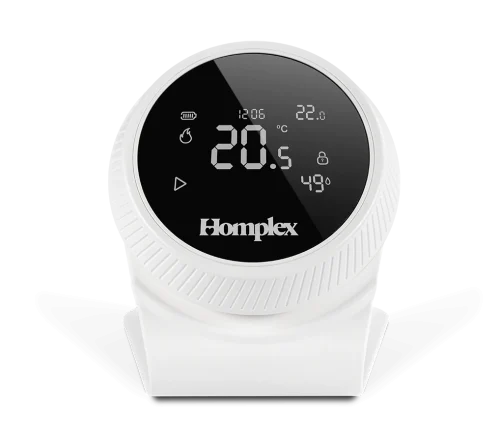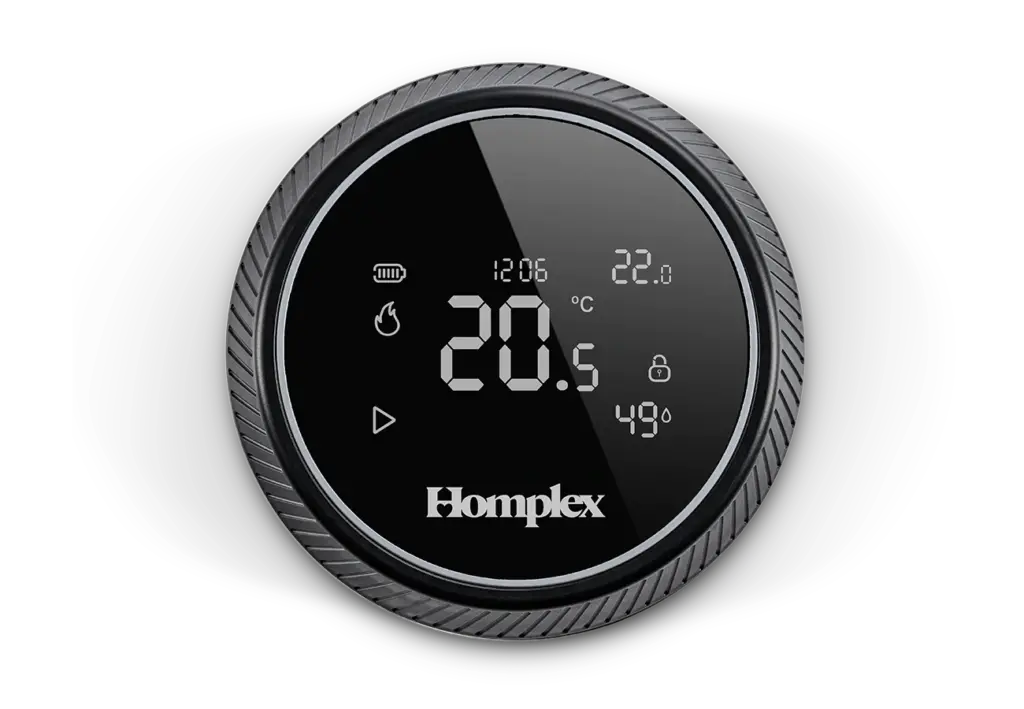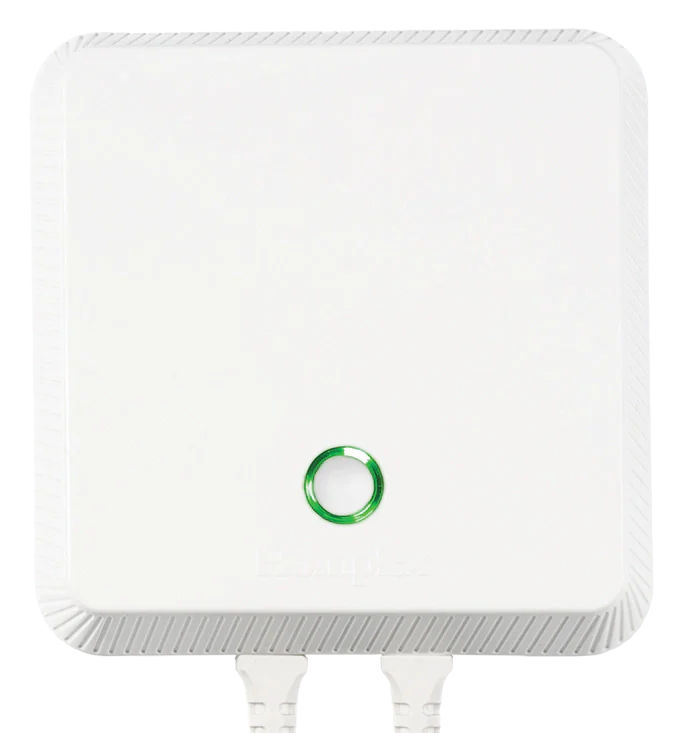









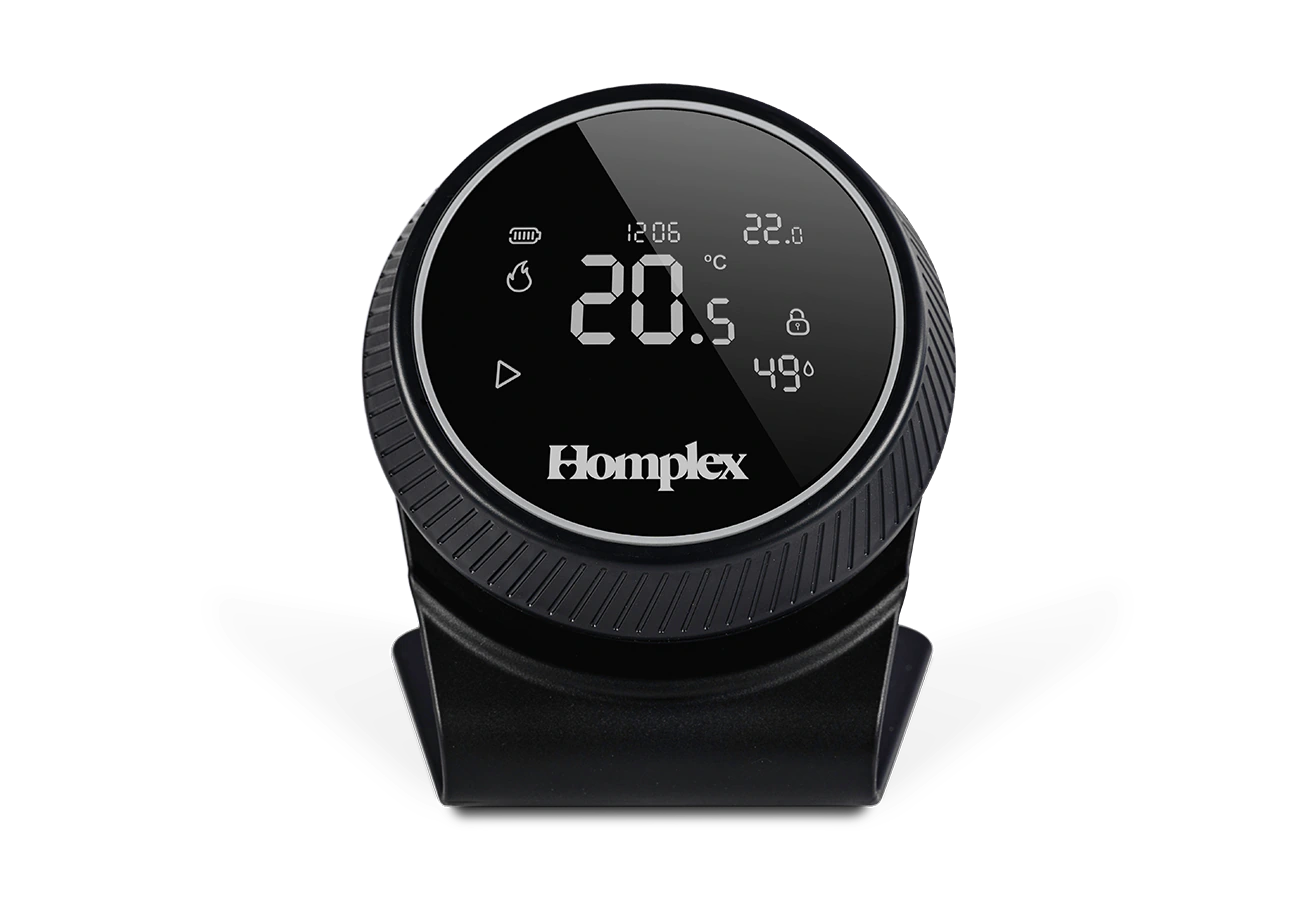
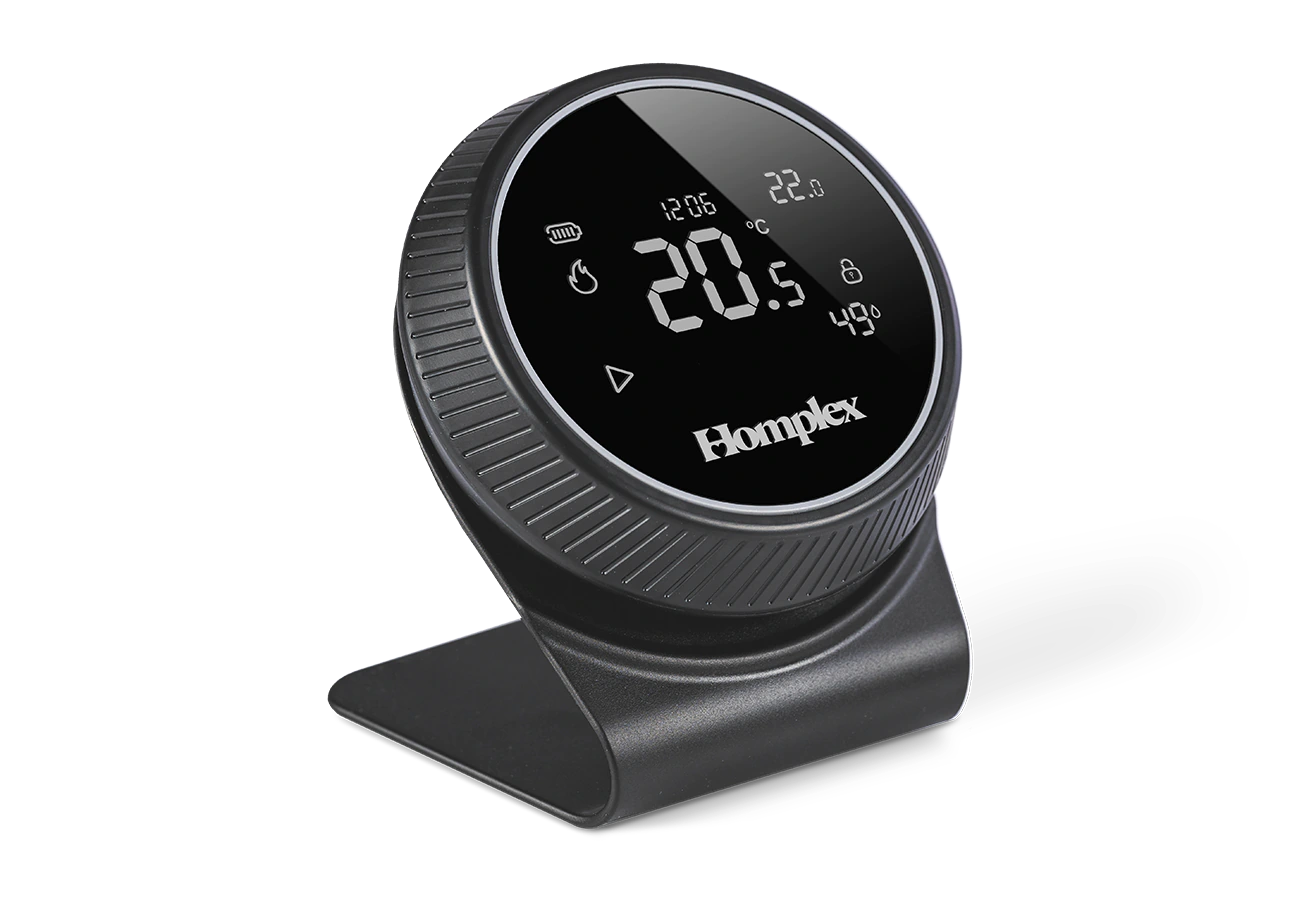
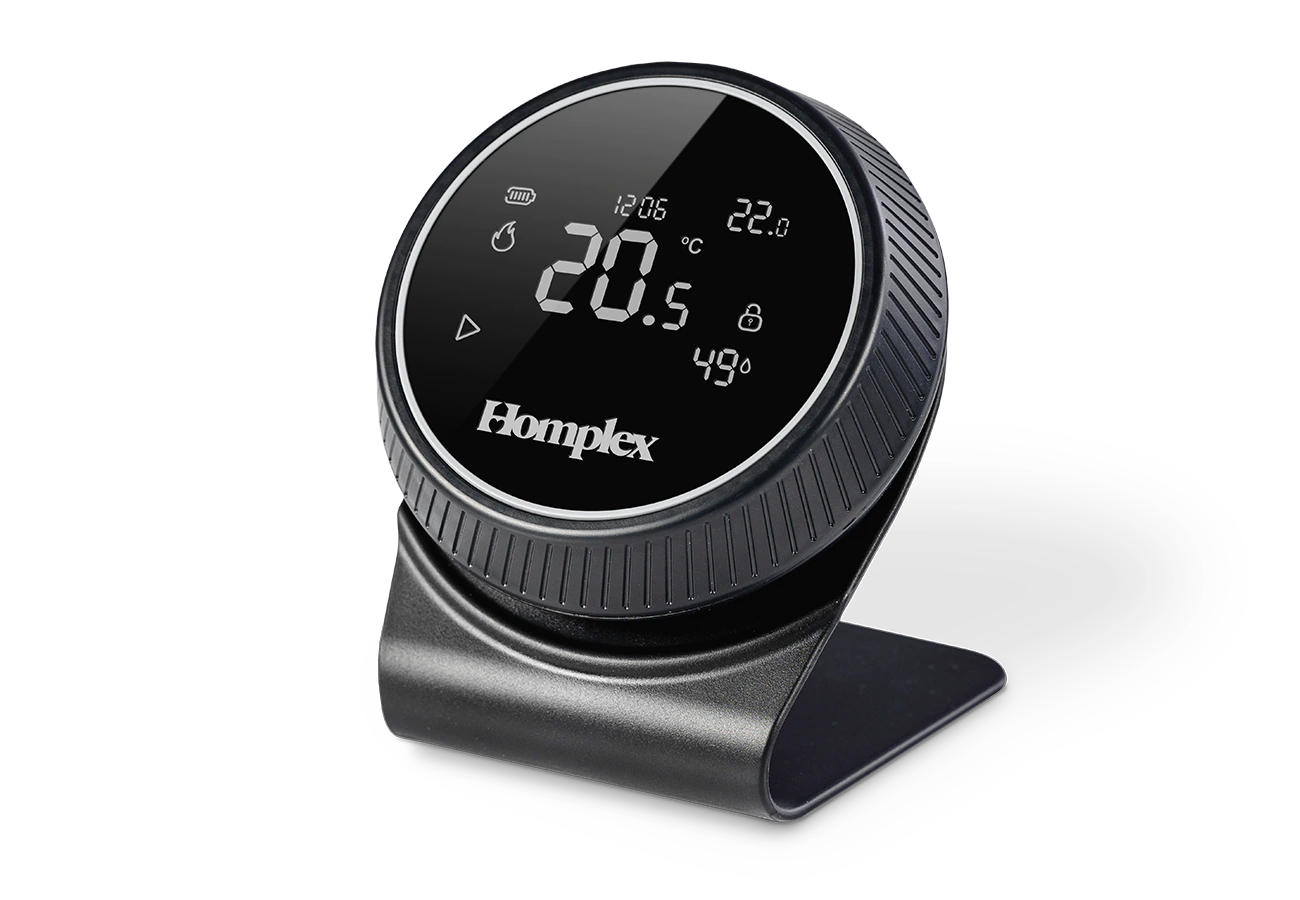
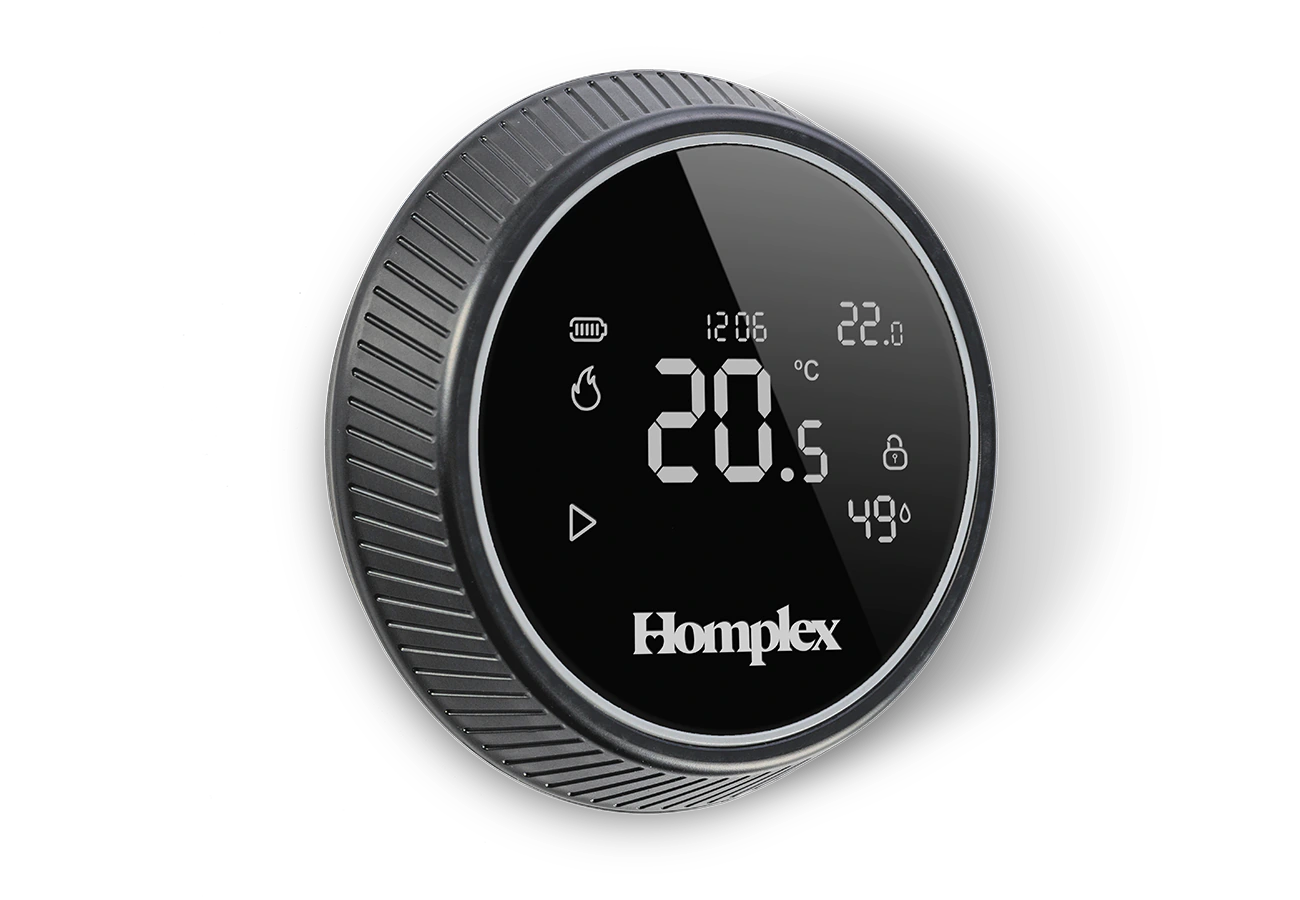
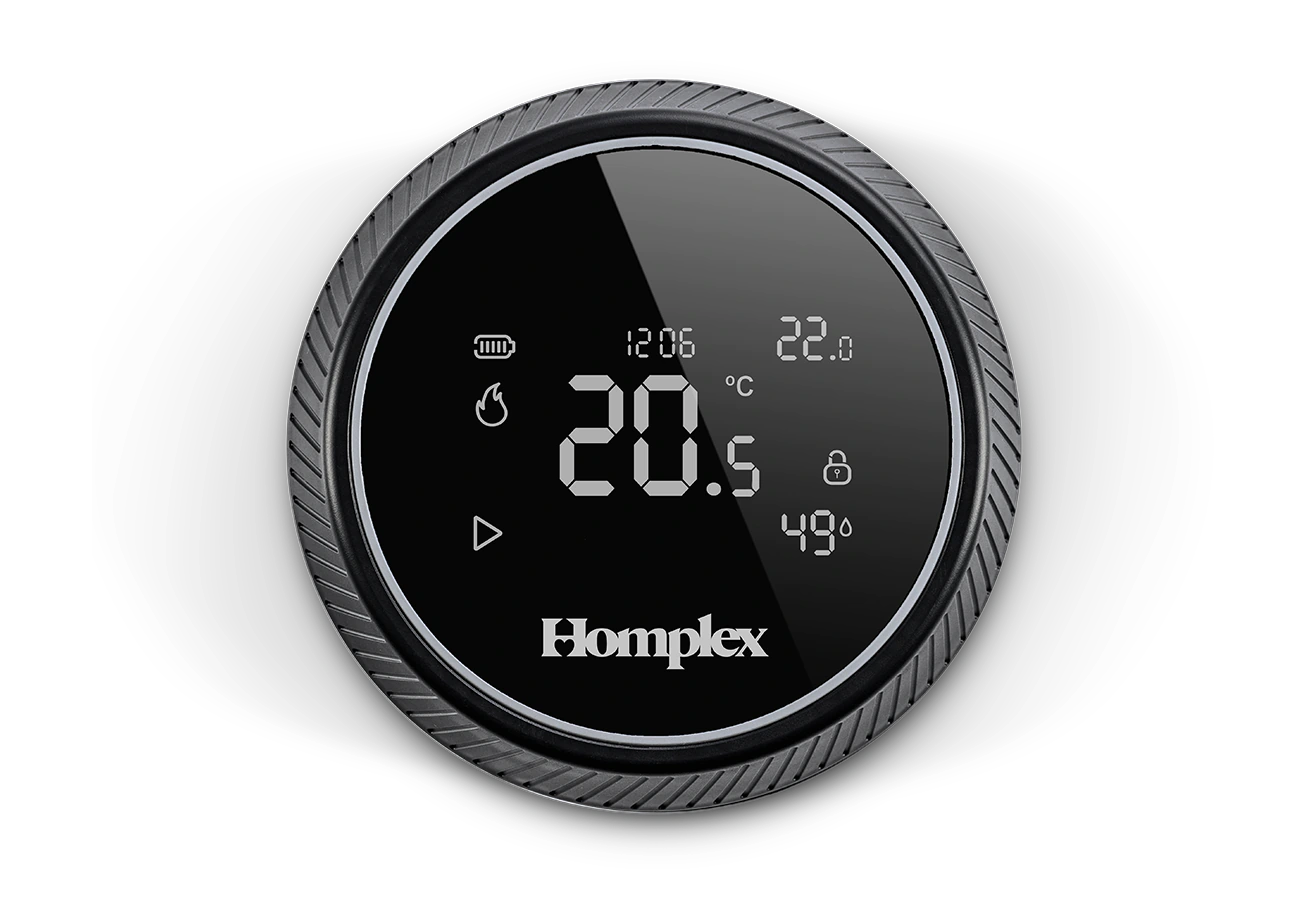
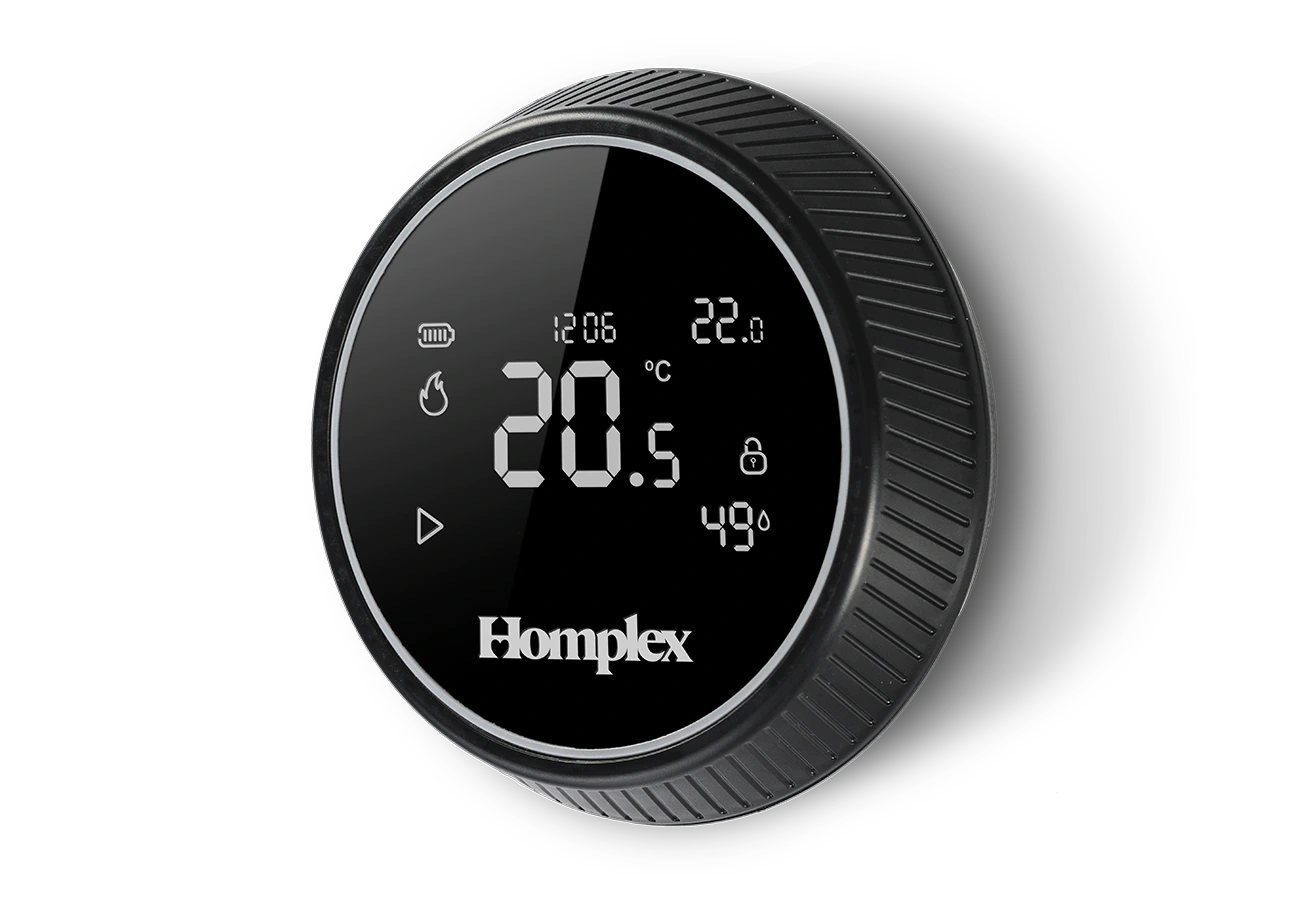
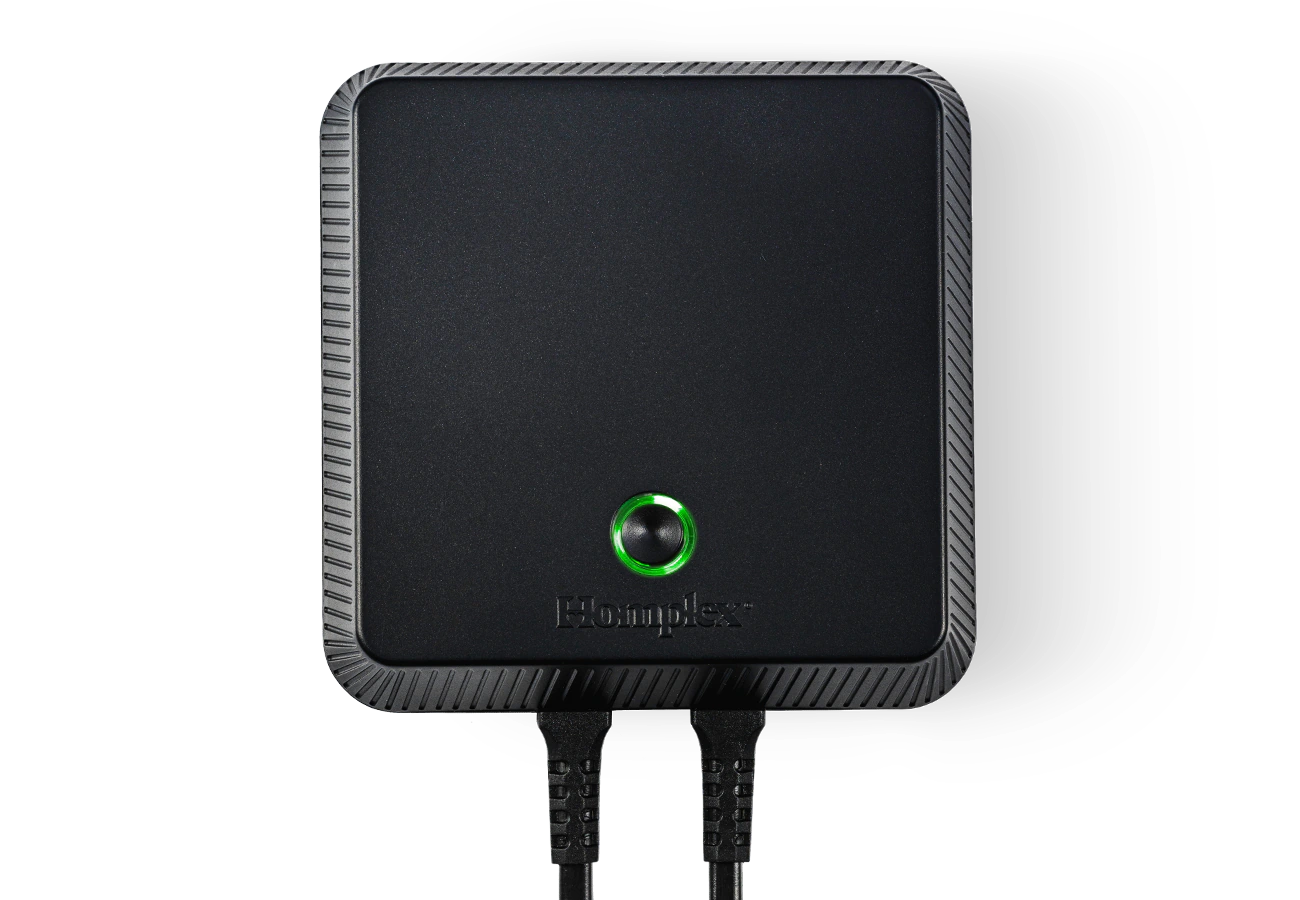
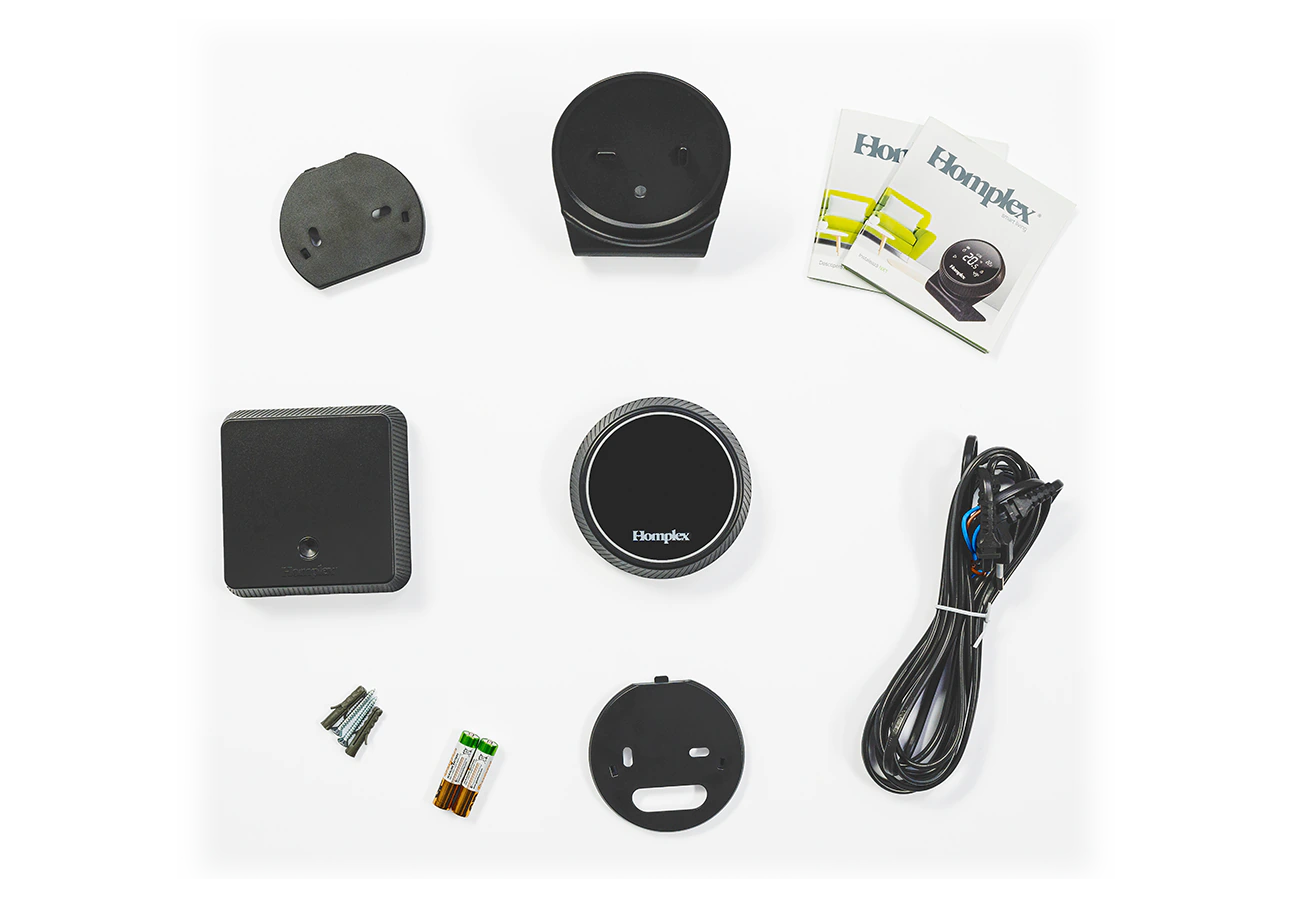
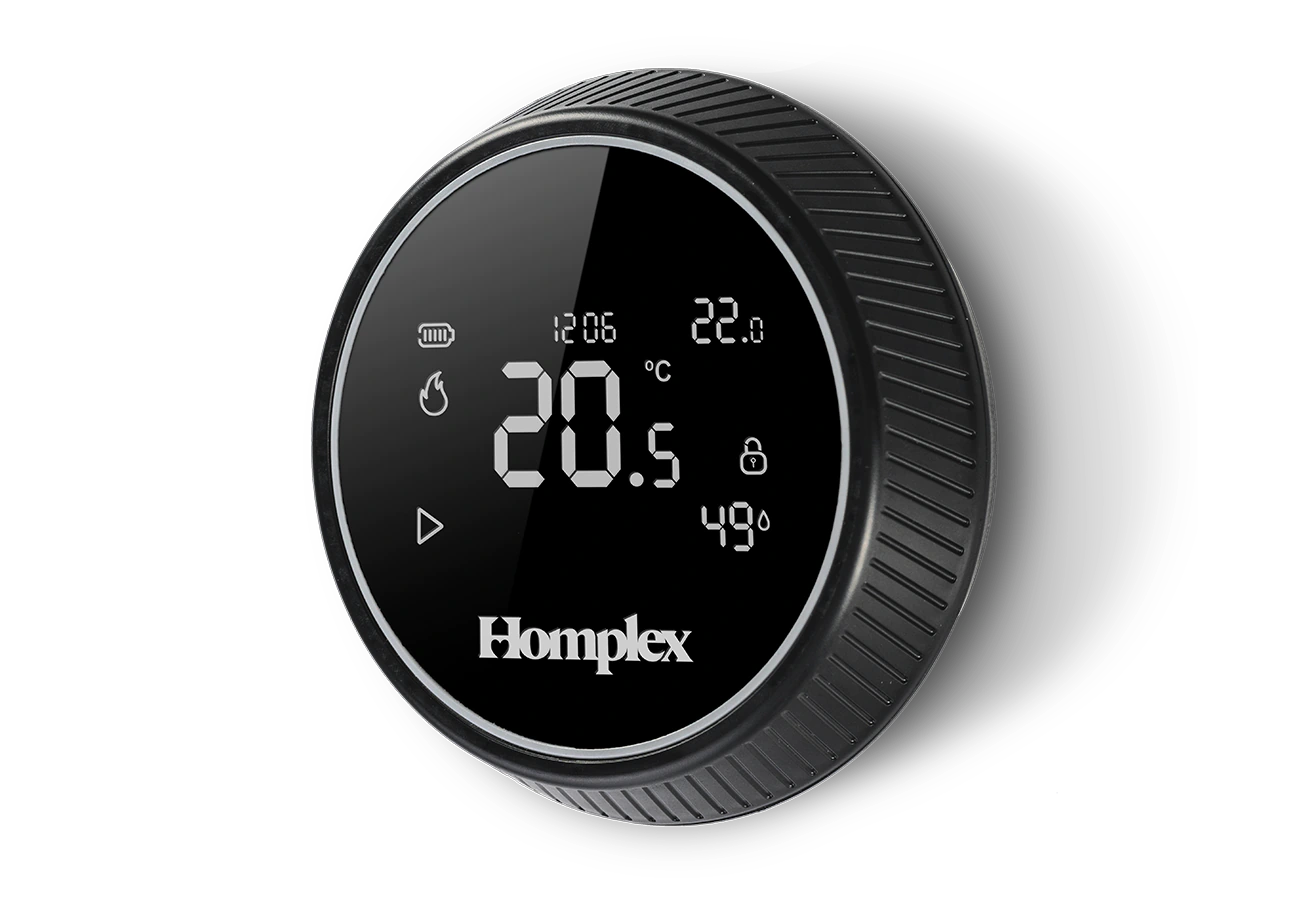
Thermostat Homplex NX1 black edition front view with stand Thermostat Homplex NX1 black edition with stand left side view Thermostat Homplex NX1 black edition with stand right side view Thermostat Homplex NX1 black edition mounting left side view Thermostat Homplex NX1 black edition front mounting Thermostat Homplex NX1 black edition right side view Receiver for Homplex NX1 black edition front view Thermostat Homplex NX1 black edition with accessories box Termostat Homplex NX1Black Edition montaj vedere lateral stanga

Description

The NX1 Black Edition room thermostat keeps you connected to your home. The Homplex NX1 Black Edition has an ergonomic design that blends seamlessly into any home. Control the room temperature manually or via the Homplex mobile app, Google Home or Google Assistant!

Share Homplex NX1 with friends, optimize heating costs, maximize comfort, and your home will always welcome you with warmth!

The thermostat

Change the temperature or navigate through settings by turning the ergonomic ring and to confirm, unlock or access the menu simply press the black dial. So simple.

All the information you need is available at a glance. Ambient and set temperature, humidity level, time and other system details are displayed simultaneously without any further action required. After connecting the thermostat with the Homplex app, available in the AppStore or Google Play, the exact time will be automatically synchronised.

The receiver

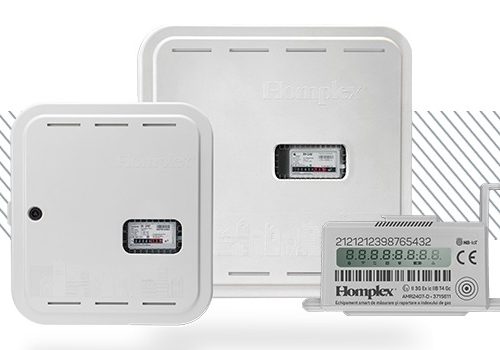
This is designed to provide the link between the thermostat, the heating system and the Homplex app (via the Internet and a Wi-Fi network). Place it next to the central heating system and connect the control cable between the receiver and the receiver port. Using the built-in relay, the receiver will turn the heating on or off. It can operate independently of the application (but without the Scheduled mode option) or completely independently by activating the manual override function.

Configuration is done with a single button and the status of the receiver is communicated by colour using the illuminated ring around it.

The Homplex app

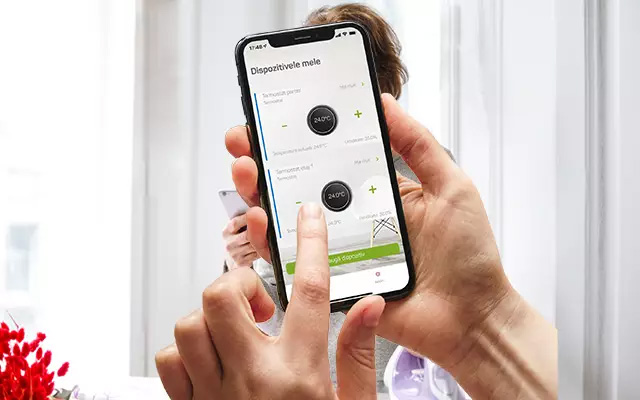
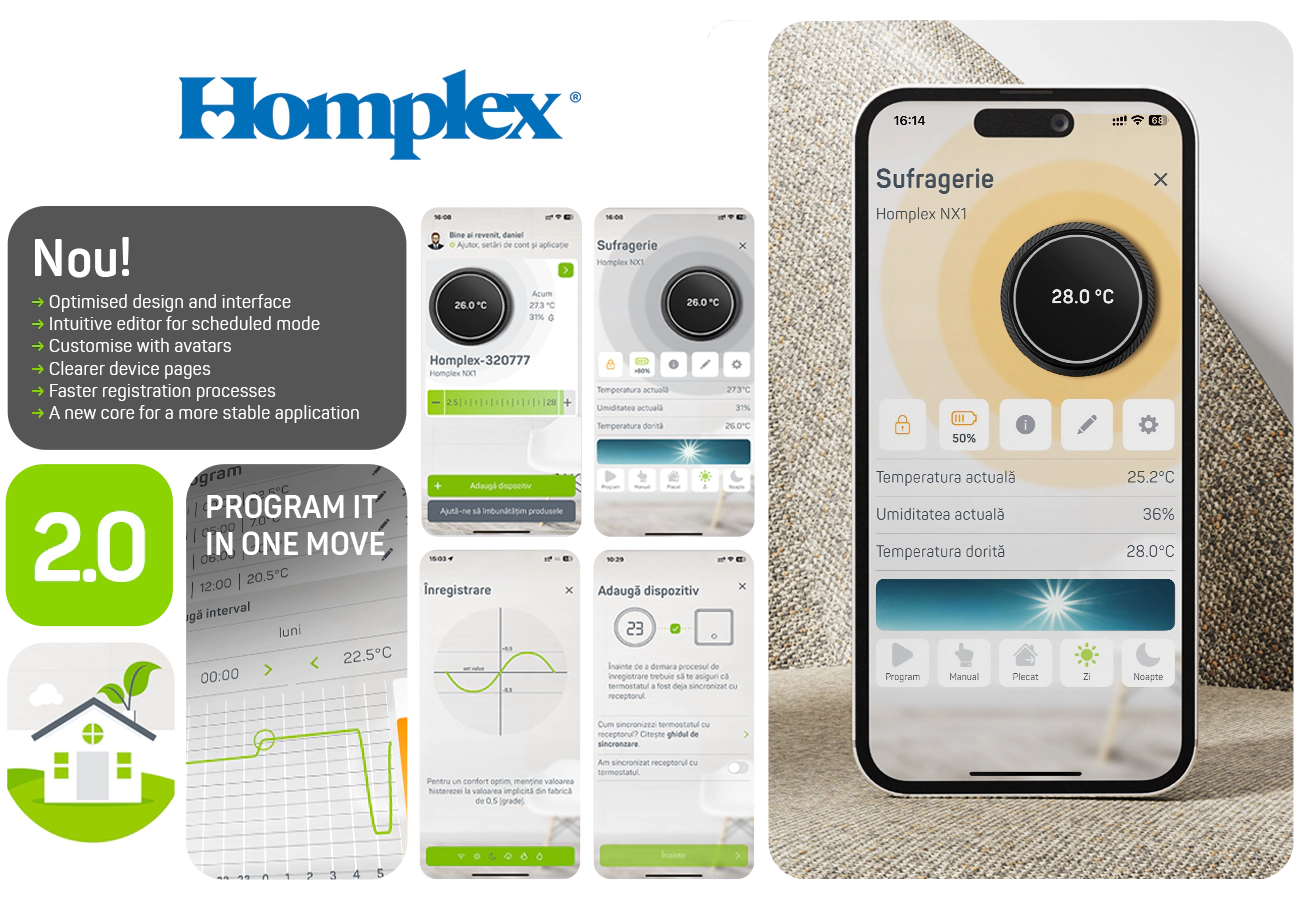
Compatible with Android and iOS operating systems, the Homplex app adds new features to your thermostat. Use Schedule mode and create complex heating scenarios with more than 10 time slots for each day. Quickly share your thermostat with loved ones and check your home ambient information anytime.

Data security is very important, so the information requested and collected is minimal but critical to the operation of the app. We use cloud management solutions in Romania in compliance with EU legislation. When installing, carefully read the Terms and Conditions to learn more.

Save time

Thermostat and receiver are factory synchronized. Just connect it to the Internet, download the Homplex app, make a user account and connect the thermostat to your Wi-Fi network.

Safety and Professionalism

All cables supplied in the package are secured with terminal pins. You eliminate the risk of a short circuit and coupling into the straps is made easy.

Everything you need for installation

We have included batteries, dowels, the cable to connect the receiver to the central unit and detailed guides on how to install and use the thermostat as standard.

Simple and intuitive

Adjust settings with the rotary ring and press the screen to confirm. Change the temperature easily and intuitively or navigate the thermostat menu with a few gestures.

Large illuminated display with all the information that matters. No complicated buttons and convoluted menus.

Extremely easy to use, from small to large! Everyone in the family will be able to use it from the first moment.

Humidity under control

Homplex is the first thermostat company in Romania to introduce humidity measurement as a default option in a thermostat.

Take advantage of the installed humidity sensor and periodically check the humidity level in your home/room without having to use additional instruments.

Near where you need it

Use the stand and keep it next to you anywhere in the house or mount it on the wall if you wish. Whatever you decide, it will be noticed immediately.

Modern design, comfort upgrade

Designed for the residential environment, the Homplex NX1 smart thermostat integrates perfectly with all interior design styles.

Choose from 3 available colour versions: Black Edition, Graphite Gray or Cream White. You’ll discover a thermostat to suit the unique style of your home!

y or Cream White. You’ll discover a thermostat to suit the unique style of your home!

Informations

Functions
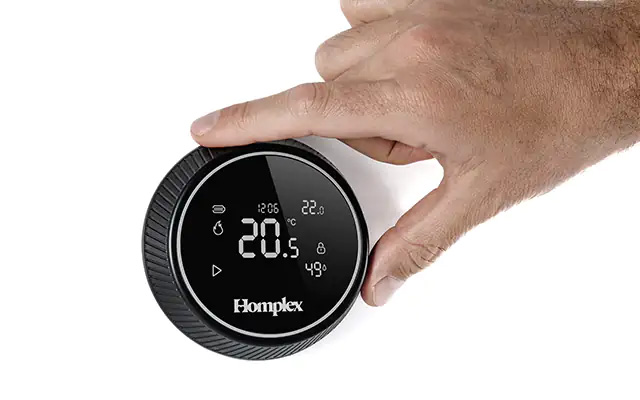
Homplex NX1 detail, screen and rotary ring
Design Modern The reflective dial, rotating ring and control knob below the display make the Homplex NX1 a unique thermostat in our portfolio.
Change your Homplex NX1 temperature on the go
On the move Use the Homplex app to control your Homplex NX1 smart thermostat. All you need is a smartphone, a user account and a stable internet connection.
Homplex NX1 has a humidity sensor inside
Humidity measurement Homplex NX1 is equipped with a humidity sensor that complements the available ambient information.
Homplex NX1 app, programs with unlimited intervals
Multiple intervals, daily! Adapt Homplex NX1 to your dynamic schedule with an unlimited number of time slots in Scheduled mode, available through the Homplex app.

Specifications

Usage
Ambiental, IoT
Type
Programmable
Connections
Radio 868Mhz, Wi-Fi 2,4Ghz
Thermostat power supply
3V, 2 or 4 AAA alkaline batteries
Receiver power supply
230 VAC 50 Hz, 3W
Thermostat display
LCD illuminated
Thermostat size
100 x 100 x 32.5 mm
Receiver size
102 x 102 x 30 mm
Power supply
230 VAC, 3W
Brand
Homplex
Receiver relay
250 VAC, 8A
Working modes
Manual, Scheduled, Day, Night, Away
Available programs
Daily, with unlimited intervals
Hour format
12 / 24 hours
Temperature scale
ºC
Temperature setting range
2.5 ºC ... 28 ºC
Temperature measurement accuracy
0,1 ºC
Displayed temperature increment change
0,1 ºC
Temperature change step
0.5 ºC
Hysteresis setting range
0.2 ºC ... 5 ºC
Hysteresis adjustment step
0.1 ºC
Temperature refresh rate
8 minutes
Funcții suplimentare
Humidity sensor, Settings retention, Frost protection, Thermostat lock
App
Homplex
Application compatibility
Android, iOS
Colour
Black
Warranty
3 years

Frequent questions

How do I add the thermostat to Google Home?
[ i ] Video Guide at the end
1. Open the Google Home app. If using for the first time, the app may ask you to create a location.
2. Follow the steps to create the location, for example HOME or OFFICE.
3. Click the Devices button and then the Add device button.
4. Continue and click on the Works with google Home option.
5. Choose from the list or search for Homplex.
6. The app informs you that your Homplex account needs to be connected. Click Continue to do so.
7. Add your Homplex account details (email address and password) and finally click Sign in.
8. For first time users, the application will ask for a number of permissions. Please accept them and click Submit Consent to continue.
9. After pressing the button, wait a few moments while the account is set up.
10. The app now prompts you to add the thermostat to a room (default or existing).
11. Once you have selected the thermostat, press Add to a room. Create a new room or choose one from the list.
12. Wait a moment for confirmation that the thermostat has has been added to the selected house/room.
13. Press Done.


Why is "ER01" flashing on the Homplex NX1 screen?
The thermostat is not synchronised with the receiver. Repeat the synchronisation process as described in the manual.
Why does the Homplex NX1 display the message "Er02"?
"Er02" indicates a radio connection problem, so Homplex NX1 is not communicating with your receiver. Shorten the distance between devices. Make sure the radio waves are not shielded. Reset the thermostat.

What can I do when the Homplex NX1 thermostat won't start?
Once you have fitted the alkaline batteries, the Homplex NX1 room thermostat will be inactive for approximately 20 seconds until the self-check protocol is complete. If the NX1 does not turn on after 20 seconds, check that its batteries have been properly positioned in their socket.
The Homplex NX1 thermostat is not displaying the temperature correctly, what is the solution?
If the Homplex room thermostat does not display the temperature correctly, check that the temperature deviation settings are correct or reset the programmable thermostat as recommended in the user manual.
What can I do when the Homplex thermostat is too sensitive or reacts slowly?
If the Homplex NX1 reacts sluggishly or is too sensitive, check that the hysteresis settings are correct and that the thermostat is not influenced by other external factors (radiators, sunlight, cold air currents, etc.).
The Homplex NX1 room thermostat does not react to commands, what could be the cause?
The Homplex NX1 room thermostat will not react to commands if it is locked (the "Locked" symbol is displayed on the screen) or if the batteries are flat. Unlock the Homplex NX1 by holding down the action button on the screen for 5 seconds or replace the Homplex NX1 batteries with new alkaline ones.

Why doesn't the NX1 thermostat react to in-app commands?
When your Homplex thermostat doesn't respond to commands placed directly from the Homplex app, make sure your IoT thermostat is communicating correctly with the receiver. Also, another factor is the receiver's Internet connection malfunctioning.
Why does the programmable thermostat display the alert signal and the signal symbol flashes?
The Homplex NX1 room thermostat may exhibit this behaviour if radio communication is hampered by possible interference or shielding of radio waves due to wall reinforcements or metal surfaces. In either case, reposition the Homplex thermostat. For stable communication, choose to reduce the distance between the receiver and the thermostat.
Does the Homplex NX1 thermostat indicate that it is heating, but the central unit won't start?
If the central heating unit has not started heating, although the Homplex thermostat indicates that it has been switched on, the connection between the NX1's receiver and the central heating unit should be checked - failure to connect to the appropriate control ports can lead to this situation. If the receiver is properly connected and the situation persists, the control relay should be checked - contact the Homplex technical team.
How do I pair the thermostat with the Homplex NX1 receiver?

1. Short press to activate the thermostat.
2. Long press to access the settings menu.
3. Turn the ring to navigate to page 2.
4. Short press and turn the ring to position 1 to activate advanced settings.
5. Short press to return to the menu.
6. Turn the ring and navigate to page 4.
7. Short press to activate search mode.
8. On Receiver, short press its button until the color Pink is visible.
9. Long press (1 second) to activate search mode.
10. The association should take place immediately.


How do I pair the receiver with the Homplex app for iOS?

1. In the app, from the My Devices screen, tap the Add Device button.
2. Make sure the receiver will have access to a working 2.4Ghz wi-fi network with internet access.
3. Press the Next button.
4. Enter the name of the 2.4GHz wi-fi network to which the Receiver will permanently connect. The name must be exactly as defined in the router settings.
5. Add the password of the wi-fi network where the receiver will be permanently connected.
6. Pay attention to special characters to be entered correctly.
7. On Receiver, activates the application's record mode. Press the receiver button repeatedly until it shows the colour Blue.
8. In the Homplex app, press the Next button.
9. On Receiver, long press its button (1 second) to activate search mode (Blue colour will flash).
10. In the Homplex app, press the Next button
11. Press Wi-Fi options button. The receiver generated the Homplex wi-fi network where the phone must be connected.
12. If requested, the password for this network is Homplex8.
13. Finally, press the Next.
14. If the pairing was successful, you will receive a confirmation message.
15. Press Finish button to return to the My Devices .


If the thermostat isn't plugged in, does the heat still switch on in the radiators?
The thermostat receiver must be connected and powered from the mains. In the absence of power supply the thermostat and its receiver will not command the control unit to start heating.
Smart thermostats

Smart thermostat Homplex NX1

Product code: 3714354
Smart Programmable Room Thermostat
Available colors
  • Design Modern
  • On the move
  • Humidity measurement
  • Multiple intervals, daily!

Homplex NX1 Smart Thermostat

Comfort and smart savings for you and your family

Command it with your voice!

Hey, Google!

Homplex NX1 is compatible with Google Home and Google Asistant. Download the guide and activate the option for your thermostat!

Premium and easy to use

We’ve developed a thermostat to help you save money on heating your home. It’s user-friendly, repositionable, intuitive and easy to use, regardless of age or technical ability, with a design that can be incorporated into a variety of styles and is very easy to install. 

Discover a smart thermostat controlled via the internet from anywhere in the world with the Homplex app, continuously maintained and updated via remote update technology – a commitment almost non-existent in other thermostats available in Romania.

3 colours, one to suit your style

Humidity sensor as standard

Homplex is the first company in Romania to introduce ambient humidity measurement as a default option. Important if you have allergies, respiratory problems or want a strict environment for babies. 

Take advantage and regularly check the humidity level in your home – displayed on the thermostat screen or in the Homplex app – without additional tools or upgrading to more expensive equipment.

Save time and money

You can install it very quickly. We’ve included everything you need in the package for easy installation. All you need is a drill (optional because you can use the double-sided adhesive stiker in the package) and an internet connection. This saves you money even before you start the thermostat.

You’ll spend less time on installation, talk to a Homplex specialist about how simple the installation process is which we’ve optimised down to the last detail.

Ongoing support and benefits

Manuals, video guides, detailed web pages, free technical support, a call centre and a professional team ready to help you. You get a complete experience that continues after purchase or installation.

The Thermostat

Change the temperature or navigate through settings by turning the ergonomic ring and simply press the black dial to confirm, unlock or access the menu. So simple.

All the information you need is available at a glance. Ambient and set temperature, humidity level, time and other system details are displayed simultaneously without any further action required. After connecting the thermostat with the Homplex app, available in the AppStore or Google Play, the exact time will be automatically synchronized

The Receiver

It is designed to provide the link between the thermostat, the heating system and the Homplex application (via the Internet and a Wi-Fi network). Place it next to the central heating unit and connect the control cable between the receiver and the port. Using the built-in relay, the receiver will turn the heating on or off. It can operate independently of the application (but without the Scheduled mode option) or completely independently by activating the manual override function.

Configuration is done with a single button and the status of the receiver is communicated by colour using the illuminated ring around it.

Homplex application

Compatible with Android and iOS operating systems, the Homplex app adds new features to your thermostat. Use Schedule mode and create complex heating scenarios with more than 10 time slots for each day. Quickly share your thermostat with loved ones and check your home ambient information anytime.

Save time

The thermostat and receiver are factory synchronised. Just connect it to the Internet, download the Homplex app, make a user account and connect the thermostat to your Wi-Fi network.

Safety

All cables supplied in the package are secured with terminal pins. Eliminates the risk of a short circuit and makes it easier to connect to the straps.

Intuitive

Adjust the settings with the rotary ring and press the screen to confirm. Change the temperature easily and intuitively or navigate the thermostat menu with a few gestures. Extremely easy to use, from small to large! Everyone in the family will be able to use it from the first moment.

Live smart

Control all Homplex devices from anywhere in the world. You get a modern app in English or Romanian that enhances your thermostat with extensive features. Adjust the temperature, create programs tailored to your needs, share your thermostat with loved ones. It’s just some of what you can do, right from your mobile phone.

4.9
Based on 383 reviews
powered by Google
Bogdan Plop profile picture
Bogdan Plop
14:24 03 Feb 26
De fiecare data când am avut nevoie de ajutorul celor de la Homplex am fost contactat de oameni profesioniști, cu experiență si întotdeauna problema a fost rezolvată. Va mulțumesc pentru tot si continuați tot asa. Recomand cu toată încrederea produsele Homplex!
Dragos Stan profile picture
Dragos Stan
08:49 27 Jan 26
George Camerzan profile picture
George Camerzan
11:47 28 Dec 25
Oameni mai rar ca acestia in Romania.
In ajunul Craciunului s-au defectat cele 2 findere de pe casa scarii dupa multi ani de folosire... Am sunat initial la firma de mentenanta gaze dar erau indisponibili....Am zis sa incerc si la Homplex, firma producatoare.
Nu numai ca am gasit suport tehnic in ajunul Craciunului, dar mi-au schimbat aparatele defecte in aceeasi zi. Multumesc pe aceasta cale firmei Homplex dar in special dlui Alexandru Mitran, angajat al acestei firme cu mare deschidere catre clienti.
Oameni de calitate ... cu produse de calitate.
Valentin Munteanu profile picture
Valentin Munteanu
15:14 01 Oct 25
Foarte multumit!
Gociu Sorin profile picture
Gociu Sorin
14:11 14 Apr 25
Echipa și manageri cu real profesionalism .
Exemplu personal :
Oamenii au răspuns la fiecare solicitare informativă a mea premergătoare achizitiei unui termostat iar ulterior au făcut și consiliere tehnica .
M Marius Daniel profile picture
M Marius Daniel
01:38 16 Feb 25
Bună ziua!
Utilizez acest termostat smart și sunt extrem de mulțumit,distanța mare de operare între termostat și centrală, aplicație smart foarte bună (care primește update și îmbunătățiri periodic), echipa de la service și call center ( PROFESIONIȘTI ȘI TE AJUTA CU ORICE PROBLEMĂ SAU NELAMURIE), recomand Homplex Romania.
Adrian Dobre profile picture
Adrian Dobre
14:15 11 Feb 25
Amabilitate si promptitudine.
Servicii foarte bune.
Recomandam!
nicolae plaiasu profile picture
nicolae plaiasu
15:47 10 Feb 25
Nicoleta Hussain profile picture
Nicoleta Hussain
10:29 07 Feb 25
5/5
Mihai Mariu profile picture
Mihai Mariu
17:15 06 Feb 25
Foarte prompți și de cuvânt !
Sava Victor profile picture
Sava Victor
15:43 06 Feb 25
Am achiziționat un termostat Homplex si după 1 an nu se mai conecta wireless. După discuții cu dl. Alexandru Mitran sa decis inlocuirea termostatului. În urma interacțiunii cu domnul Mitran am ramas surprins placut de amabilitatea si profesionalismul de care a dat dovadă. Felicitări.
Aflând că este produs românesc l-am cumpărat, am primit consultanță pe WhatsApp, personalul foarte amabil. Susțin produsele românești, recomand. Menționez că am Homplex NX 1.
Denisa Capraru profile picture
Denisa Capraru
15:15 31 Jan 25
Termostatul este de nota 10+ iar ajutorul oferit chiar și după ce termenul de garanție a expirat, a fost mai mult decât mă puteam aștepta, nu am cuvinte de mulțumire, recomand din suflet! Mulțumesc, din nou, pentru tot ajutorul!
Blidaru Ionut profile picture
Blidaru Ionut
08:34 29 Jan 25
Foarte serioși, amabili, profesioniști!
S-a defectat termostatul, am luat legatura cu dânșii și in ziua respectivă mi-a trimis alt aparat prin curier. Recomand!
Mihai Radulescu profile picture
Mihai Radulescu
09:00 17 Nov 23
Am instalat de curand o retea de detectoare de gaz Homplex in imobilul in care locuiesc (230 buc), impreuna cu finderele aferente.
Instalarea a fost efectuata de o firma autorizata. La scurt timp dupa instalare, unul dintre finderi s-a stricat (din cauza procedurii defectuoase de instalare). Contactand firma care a instalat (si care oferea si garantia finderului) am primit un raspuns naucitor: putem veni in minimum 3 saptamani. Cu o mica speranta am scris un e-mail la departamentul tehnic al producatorului. In max. 10 minute am fost sunat de dl. Ionut Sarbu cu care am avut o discutie prealabila asigurandu-ma ca a doua zi la ora 8 va veni la bloc pentru a inlocui finderul defect. Ceea ce s-a si intamplat, a doua zi avand defectiunea rezolvata.
Deci, multumesc mult companiei Homplex, care isi respecta produsele si d-lui Sarbu pentru rapiditatea raspunsului.
Maria Constantinescu profile picture
Maria Constantinescu
07:17 06 Nov 23
Andrei Raschitor profile picture
Andrei Raschitor
07:03 29 Oct 23
O echipă minunată și cu foarte mult profesionalism ! Și foarte promit ! Mulțumesc frumos !
Bogdan Panainte profile picture
Bogdan Panainte
03:57 27 Oct 23
ANDREI MACARI profile picture
ANDREI MACARI
08:59 26 Oct 23
Adrian Amzuloiu profile picture
Adrian Amzuloiu
06:27 25 Oct 23
Frumos,design placut si usor de configurat.
Echipa de suport foarte prompta si rapida in rezolvarea unor mici probleme in instalarea aplicatiei
RaducuAlex1 profile picture
RaducuAlex1
13:32 12 Oct 23
Dupa perioada de vară am avut probleme cu termostatul meu Inoklima Evo RF, mai exact nu mai indica grade celsius, indica în farenhait. Voiam să cumpăr alt termostat dar mai întâi am contactat asistenta, care mi.a oferit numărul de contact al Dl. Mircea Enescu, care m-a îndrumat pentru rezolvarea problemei cu răbdare și mult profesionalism.
Recomand Dl. Mircea Enescu 👍
Alexandra Negrei profile picture
Alexandra Negrei
11:37 10 Oct 23
Am achiziționat anul trecut un termostat wireless Homplex NX1 și după perioada de vară am avut ceva probleme atât cu sincronizarea la.rețeaua wi-fi cat și cu restartul aplicației pe mobil. Am contactat suportul tehnic oferit de Homplex unde am avut plăcerea de a discuta cu Dl. Mircea Enescu care m-a îndrumat pentru rezolvarea problemei cu răbdare și cu mult profesionalism. Recomand din tot sufletul și cu multă încredere produsele Homplex !!!
Borcea Alex profile picture
Borcea Alex
18:49 01 Sep 23
Foarte mulțumit de profesionalismul lor !!
Elena Adam profile picture
Elena Adam
12:37 31 Aug 23
Am avut o problema cu detectorul de gaz iar aceasta a fost rezolvata intr-un termen foarte scurt. Recomand cu incredere!
iulyus78 profile picture
iulyus78
16:20 30 Aug 23
Homplex NX1
Foarte mulțumit.
Produs românesc de foarte buna calitate.
Mulțumesc echipei Homplex și in special d-lui Enescu pentru promptitudine și profesionalism.
Recomand cu încredere.
Homplex
Privacy Overview

This website uses cookies so that we can provide you with the best user experience possible. Cookie information is stored in your browser and performs functions such as recognising you when you return to our website and helping our team to understand which sections of the website you find most interesting and useful.